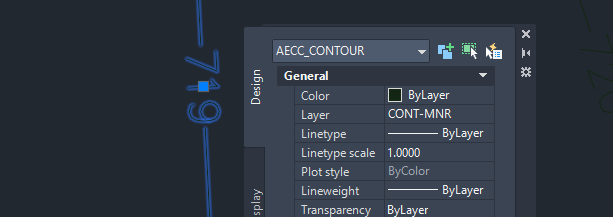
If you have ever opened an older survey or grading drawing in Civil 3D and found contour lines that cannot be edited natively, you have met the AEC_Contour - a custom object left over from Autodesk Land Desktop. The usual advice online is "just explode them," which flattens the data, scatters the geometry into countless tiny segments, and often destroys the elevation you actually need.
DeAEC was built to do this properly. It reads each AEC contour and rebuilds it as a single, clean polyline - elevation intact, layer and properties preserved, redundant vertices weeded out. Version 2.0 is a full rewrite as a native ObjectARX module, and it goes further: broken contour fragments are stitched back together, elevation labels are recreated automatically at the positions of the original Land Desktop labels, and one command builds a Civil 3D TIN surface straight from legacy contours.
What the tool does
Once loaded, DeAEC adds a small set of commands:
- DEAEC - converts AEC contour objects into clean polylines. Fragments broken at label gaps are stitched back together, vertices are simplified with the Douglas-Peucker algorithm, and elevation labels reappear where the original ones stood.
- DEAECSURFACE - converts the contours and builds a Civil 3D TIN surface in one step. The source polylines are parked on a frozen service layer, out of the way but rebuildable.
- DEAECLABEL - draw a line across contours and every crossed polyline gets an elevation label at the intersection.
- DEAECPANEL - a dockable control panel with the tolerances and options. It also opens by itself when a drawing with AEC contours is activated.
- DEAECABOUT - the about screen. Click it, you will not regret it.
The conversion is not an explode. Layer, color, linetype, lineweight and elevation are carried over to the new polyline, the whole operation is a single undo step, and a short report shows how many contours were converted, how many fragments were joined, and how many vertices were removed. In Keep mode the original AEC objects are moved to a frozen archive layer instead of piling up under the new polylines, so an undo of the whole story is one thaw away.
How to use it
- Load the arx for your Civil 3D version with the NETLOAD command (or install from the Autodesk Design and Make Marketplace and skip this step).
- Run DEAEC.
- Choose whether to process all AEC contours in the drawing or select specific ones.
- Choose whether to replace the originals or keep them.
That's it - clean polylines with elevation labels, ready to edit or use as surface input.
Versions and compatibility
Each release year gets its own build. Version 2.0 supports Civil 3D 2024 through 2027; if you are on an older release, the retired .NET version of DeAEC covered 2017 to 2023, write me if you need it.
Available downloads:
One arx file per release, all binaries signed. If AutoCAD ever reports a missing ijwhost.dll, copy it from the AutoCAD program folder next to the arx file.
Why AEC contours still exist
Land Desktop was discontinued back in 2009, but drawings created with it never went away. They get reused, copied between firms, and reopened years later - and the AEC contours inside them survive as custom proxy objects that modern software can display but not natively edit. DeAEC exists to free that data and bring it back into a usable form.
Notes
DeAEC reads AEC contour objects; it does not create them (only Land Desktop itself could author that object type). The tool requires no third-party libraries and runs entirely inside Civil 3D as a native ObjectARX module.
Closing thoughts
This is a focused tool that solves one annoying problem cleanly. If you work with older Civil drawings, it can save you from the explode-and-rebuild headache and keep your elevation data exactly where it belongs.